


Undergraduate Programs
You do the dreaming. We'll be the catalyst.
Your journey into the business world starts at Eller.
Eller provides a wide variety of specialty options through the BSBA (Bachelor of Science in Business Administration) degree. In addition to the exceptional training in business, however, Eller students can choose a BA (Bachelor of Arts) social science degree with a major in economics. Come together with professors, advisors, career coaches, classmates, and alumni. With this foundation, and the opportunity to engage with companies, you’ll not only thrive—you’ll lead.
#18
public undergraduate program in the nation
U.S. News & World Report, 2024

90%
career outcomes for students
within 60 days of graduation

Featured
Eller Majors
Get to know our majors—and the world full of possibilities that await thereafter. From the BA major in Economics to BSBA majors in Accounting, Business Management, Entrepreneurship, Finance, MIS, Marketing, Online Business Administration, and more, there’s a path in place for you to chase down your professional ambitions.
Building dreams, breaking barriers.
The Eller experience isn’t confined within classroom walls. Through hands-on learning, real-world internships, and supportive cohorts, our students go beyond traditional and reach for transformational.
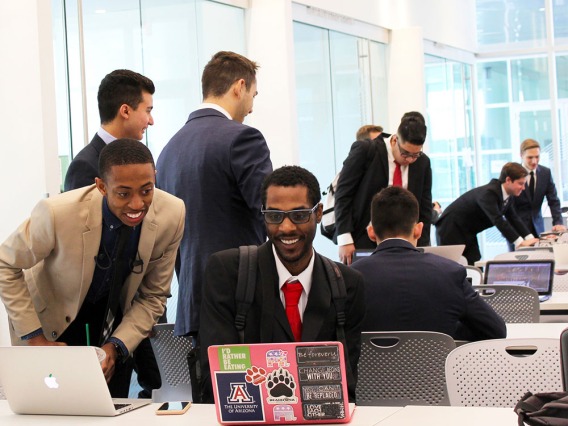
As part of the University of Arizona’s 100% Engagement initiative, every student who completes the BCOM 314 Business Communication course will receive a transcript notation showing they’ve completed a highly engaged learning experience.

Gain credit and cross-cultural professional experience at the same time. There are multiple ways to spend time in the global market—study abroad, volunteer, get a summer internship or even spend your first semester of upper-division coursework abroad.

Our Professional Development Center offers personalized services to get you ready to shine. You’ll get access to personalized career coaching, help with resumes and cover letters, interview coaching, networking, internship connections, career events and more.

Our faculty are well-known experts in their fields, publishing, researching, mentoring and, especially, collaborating. They work with students, each other and organizations outside Eller to make an impact far beyond business.

The camaraderie is palpable here at Eller: classmates and cohorts watch out for one another—and as much as they support each other, they challenge each other too. Collectively, we dream big and do the work to bring it to fruition.

Eller Alumni are busy putting their skills and connections into action—founding tech startups, pioneering new projects in the world’s biggest companies and finding solutions where business challenges and social problems intersect.
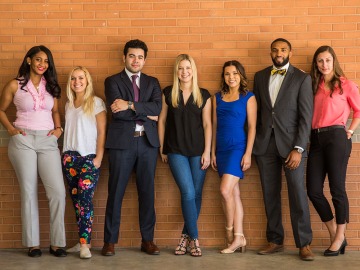
Diversity at Eller: It’s more than a credo. It’s a commitment.
Eller welcomes students of every background, ethnicity, orientation, gender identity, age, and belief to collaborate and tackle the world’s biggest business challenges through shared knowledge and vision. Our inclusive environment equips us to solve society’s most complex issues, enriched by the many perspectives we need to explore new frontiers in learning, teaching, research, and service.
Events
Contact Us
By Phone
By Mail
McClelland Hall 204
The University of Arizona
P.O. Box 210108
Tucson, AZ 85721-0108
Advising
Schedule Appointment in eSMS
Meet Your Advisor
Quick Advising in McClelland Hall 201
Mon, Tue: 10 a.m. - 3 p.m.
Wed, Thu, Fri: Noon - 3 p.m.